
Your social media, all in one place
Plan, publish and go live on Facebook, Instagram, Threads, X, YouTube and TikTok from one simple desktop app.
For Windows 10 and 11.
Works with the accounts you already use
- Facebook Pages
- Threads
- X
- YouTube
- TikTok
Everything you need to post with confidence
Write once, adjust for each network, and let eHelp publish at the right time.
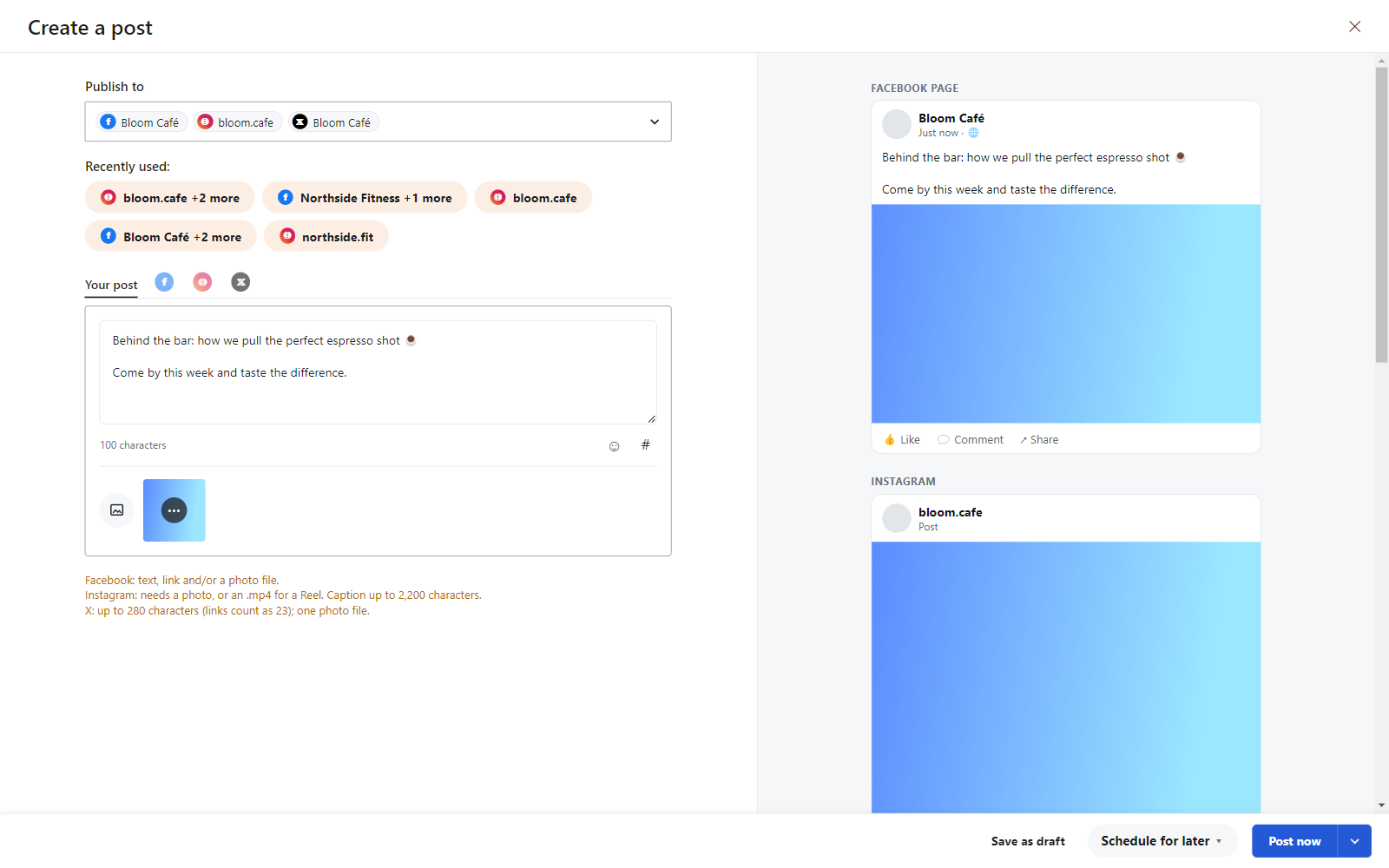
One post, every network, each one just right
Pick your accounts, write your post and see a live preview for every network side by side. Change the text for one network without touching the others.
- Previews for every selected network
- Custom text per network, with character counts
- Photos and videos, with video cover and title
- Instagram posts, reels and stories, first comment, collaborators and tags
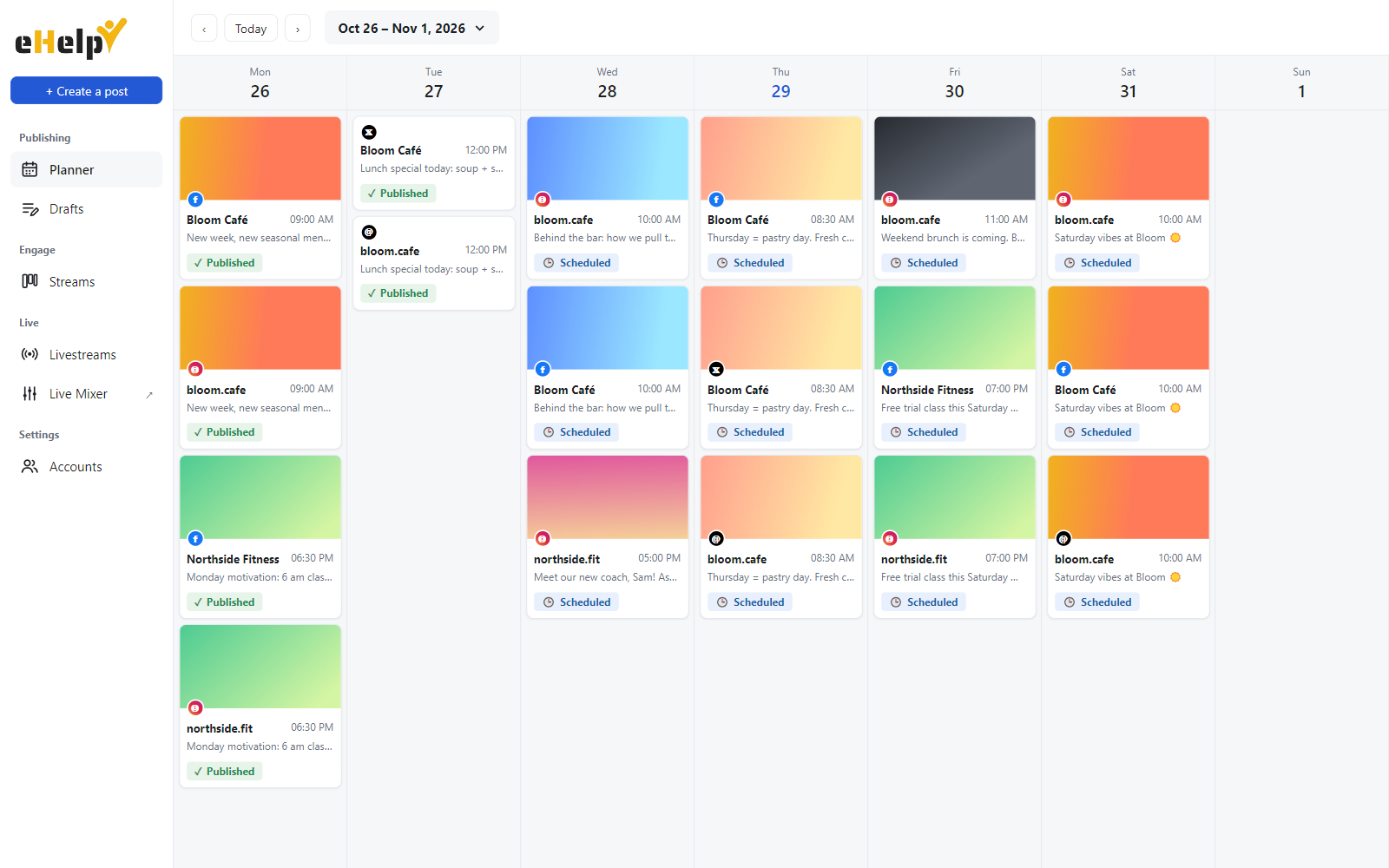
See your whole week at a glance
The planner shows every scheduled post as a card with its network, account and a small preview. Pick any week from the calendar and spot gaps before they happen.
- Schedule posts for any date and time
- Drafts, scheduled and published posts in one view
- "Post and duplicate" to reuse content on other networks
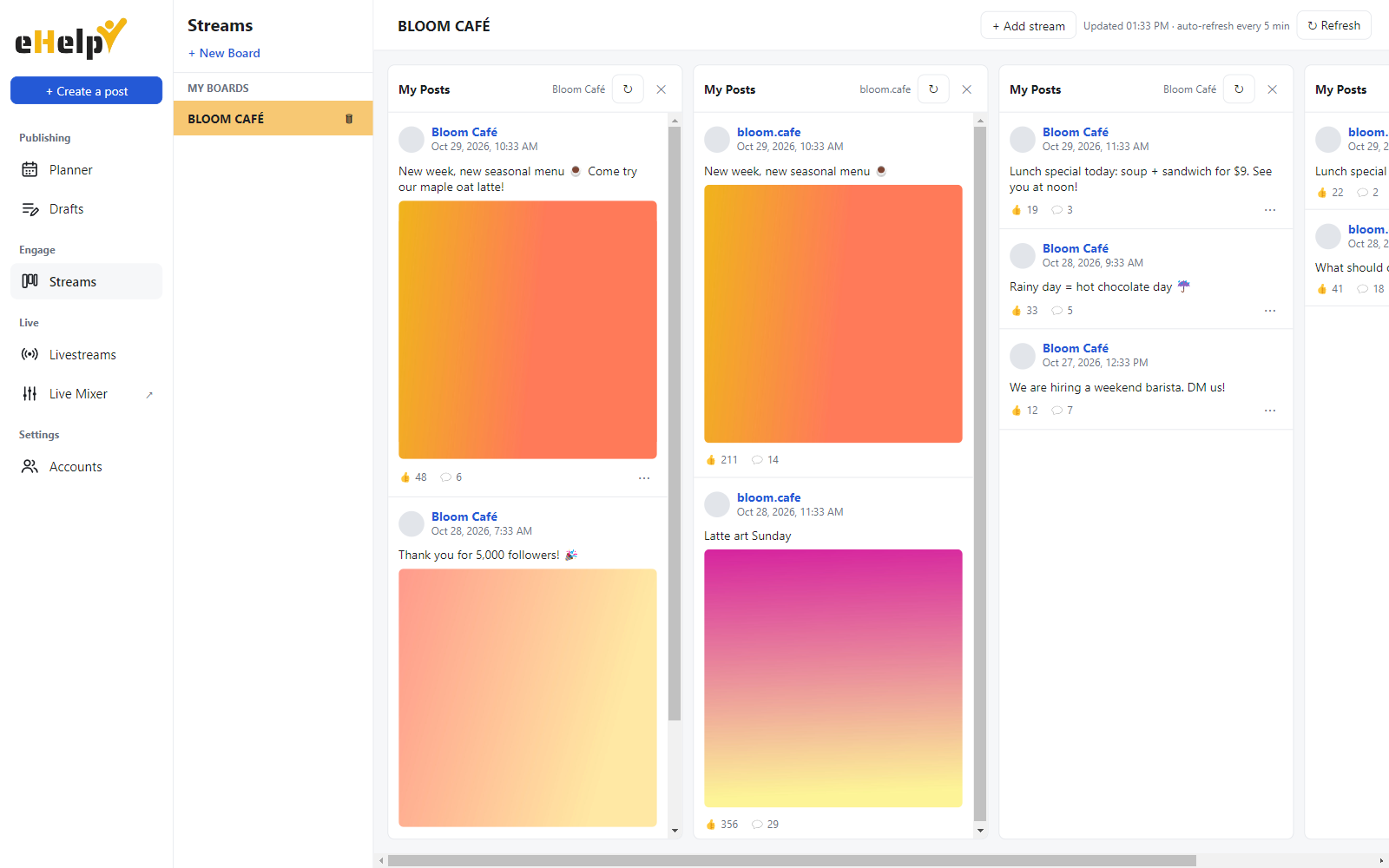
Keep an eye on what you posted
Streams show the latest posts of each connected account in columns, with likes and comments, refreshed automatically every few minutes.
- One board per network, one column per account
- Edit or delete posts where the network allows it
- Open any post on the network in one click
…and a lot more
Small things that save time every day.
Many accounts
Connect several Pages and accounts on each network and switch between them in the composer.
Video covers
Pick a frame from your video or drop in your own cover image before publishing.
Text per network
Keep one shared text and adjust it where a network needs something shorter or different.
TikTok settings
Choose who can view, allow comments, Duet or Stitch, and disclose branded content.
Live Mixer
Mix videos, images and audio, switch between them live, and record the result.
Favorites
Mark the accounts you use most and reuse recent account sets in one click.
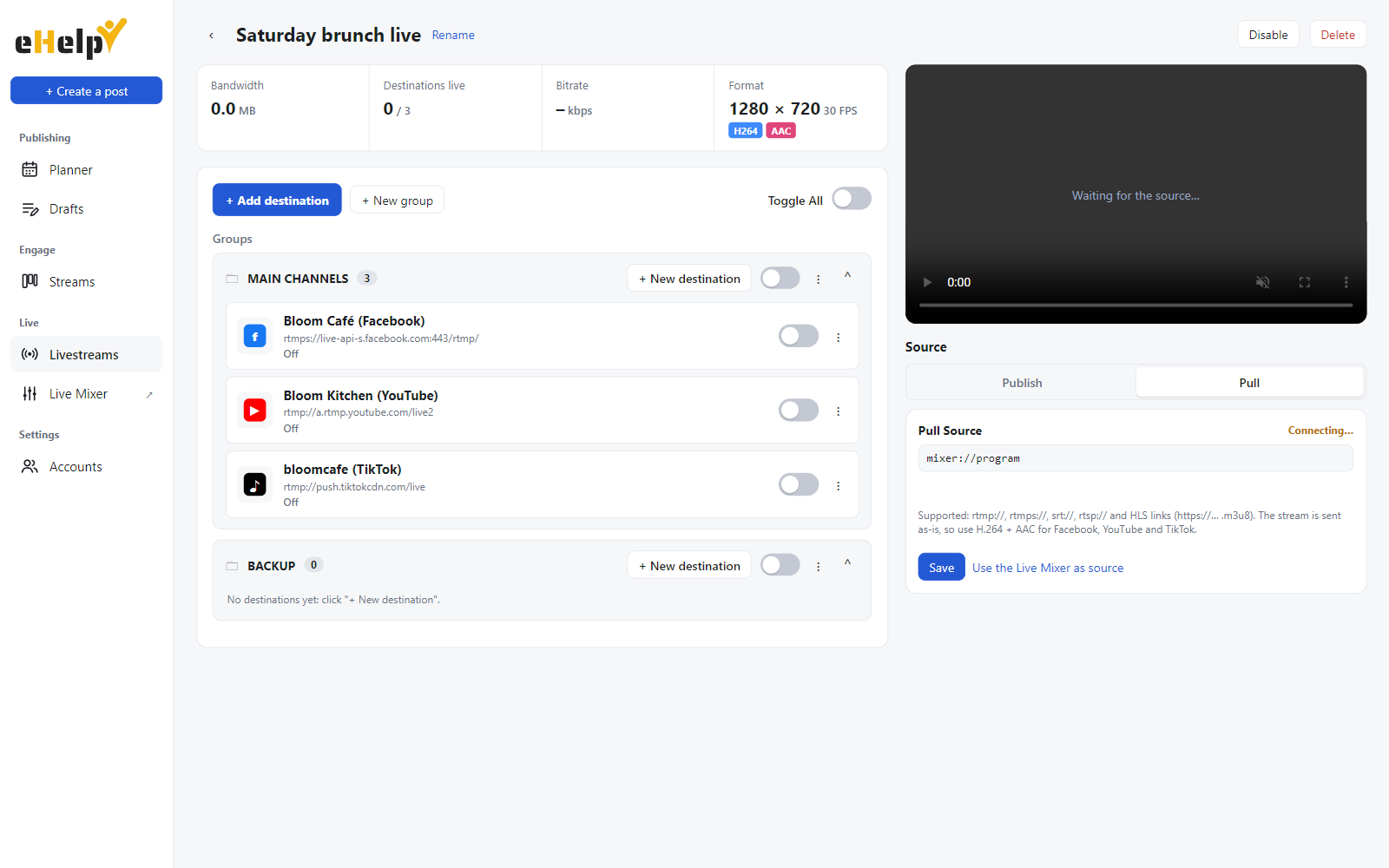
Go live everywhere at once
Bring in your live feed from OBS, a camera or the eHelp Live Mixer, then send it to all your channels together. Turn each destination on or off with one switch.
- RTMP, SRT and HLS sources
- Facebook, YouTube, TikTok, X, Twitch and custom RTMP destinations
- Live preview and stats for every destination
Up and running in minutes
No setup for developers, no complicated settings.
Create your account
Sign up with your email, turn on an authenticator app for extra security, and get your access token with your subscription.
Install and connect
Install eHelp, log in with your account, enter your token the first time, then connect your social accounts on each network's own login page.
Plan and publish
Write, preview and schedule your posts, or go live on all your channels.
Your accounts stay yours
eHelp is built so your passwords and data stay with you.
Official logins
You sign in on each network's own login page. eHelp never sees your passwords.
Encrypted on your PC
Account tokens and stream keys are encrypted with Windows' secure storage.
Official APIs only
eHelp publishes through each network's official API and follows its rules.
Remove access anytime
Disconnect an account in eHelp or in the network's settings. How to delete your data.
Questions
Which networks does eHelp support?
Facebook Pages, Instagram professional accounts (business or creator), Threads, X, YouTube and TikTok. Livestreams can also go to Twitch, Kick or any custom RTMP server.
Does eHelp see my passwords?
No. You log in on each network's own page, and the network gives eHelp permission to post for you. You can remove that permission at any time.
How do I get started?
Create your eHelp account, then contact us for a subscription: your access token comes with it. In eHelp, log in with your account and enter the token the first time; after that your account is all you need.
How is my eHelp account protected?
Your password is stored only as a salted hash. You can turn on an authenticator app (Google Authenticator, Microsoft Authenticator, Authy…) so a code from your phone is needed to log in, and sign out any computer from your account page.
Can I manage several accounts or clients?
Yes. Connect as many Pages and accounts as your subscription includes and choose which ones each post goes to.
Does eHelp run on Mac?
eHelp is available for Windows 10 and 11 today.
How do I delete my data?
Remove an account in eHelp to delete its token, or uninstall eHelp to remove everything on your computer. See data deletion for all the options.
Ready to save hours every week?
Create your free eHelp account, then ask us for your access and start planning your posts today.